
Rundown Studio
Collaborative cloud rundown and cue-timing software for show callers
Per event · Free plan
Category
Malmö, Sweden
2-10 employees
In-person, Virtual, Hybrid
Event formats
Startup, Mid-market
Company size fit
Rundown Studio is browser-based rundown software where producers and show callers build cue lists that recalculate timing automatically and follow the live show. It includes a synced teleprompter, unlimited guest access and an API for live graphics. Event-based pricing makes it usable for single conferences as well as ongoing broadcast work.
rundownstudio.appVisit ↗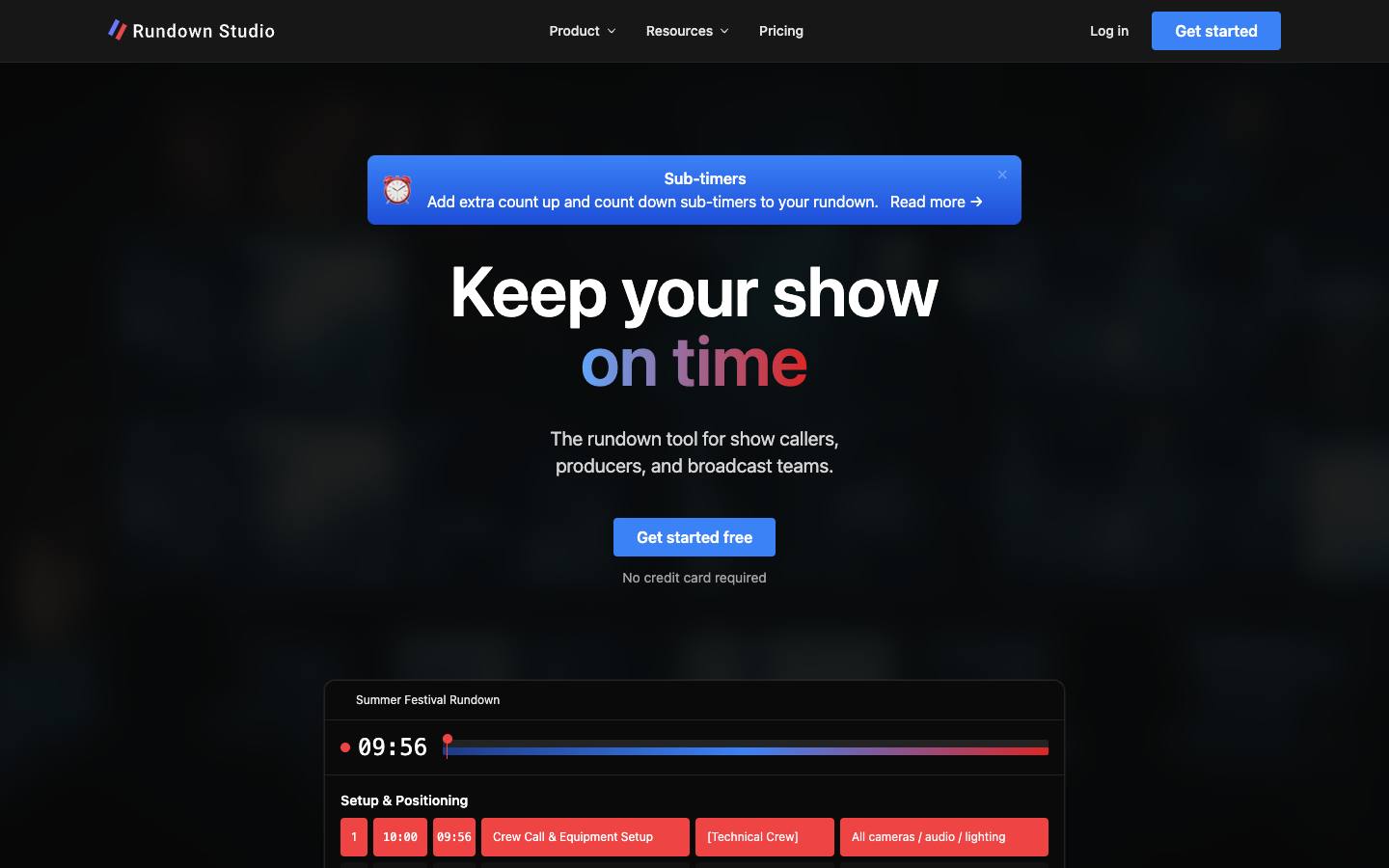
At a glance
- CRM
- –
- Security
- SOC 2 Type IInot foundISO 27001not foundGDPRnot foundSAML SSOnot foundDetails
- Product updates
- 2 in the last 90 days · latest 2026-10-17 · Changelog ↗
Who it's for
- Show callers and producers running conference general sessions and corporate shows
- Broadcast and live-stream teams needing shared, timed rundowns
- SMB
- Mid-market
- Conferences
- User conferences
- Hybrid events
How much does Rundown Studio cost?
- Starting price
- $25 per event
- Pricing model
- Per event
- Free plan
- Yes
- Free trial
- No
- Per-event pricing
- Available
Free Solo plan; Event plan $25 per event (10 or 20 days); Team plan $600/year; 50% off for education and nonprofits.
Published plans
- 1 team member
- Limited rundowns
- Read-only guests
- Prompter and API control
- 10-day access (20-day option)
- 2 team members
- Unlimited rundowns
- Full access guests
- 2 team members
- Unlimited rundowns
- Full access guests
- PDF and CSV export
Free plan available · From Rundown Studio's pricing page, checked 2026-10-18. Prices can change; confirm with the vendor.
Strengths and considerations
What stands out
- Per-event pricing for one-off shows
- Teleprompter and rundown in one tool
Worth checking
- Production-crew tool; not attendee-facing
- Company leadership and named customers aren't listed on the site
- No AI features
Key features
- Auto-timed rundownsCue start times recalculate when durations change, and the view follows the active cue.
- TeleprompterBuilt-in scrolling prompter synced to the rundown.
- Guest collaborationUnlimited guests with view-only or full access.
- Rich cuesText, images and attachments in cues, with PDF/CSV export and CSV import.
- Show controlBitfocus Companion module plus public HTTP API and WebSocket for custom tools and graphics.
Integrations
- Bitfocus Companion
- Bitfocus Buttons
- HTTP API
- WebSocket
- Google Sheets (CSV)
- Excel (CSV)
- OBS Studio
- OnTheAir Video
- ProPresenter
- QLab
- CSV import/export
- PDF export
Connects to show-control and playback tools through a public REST API, WebSocket/SSE live updates and a Companion module; no Zapier or business-app connectors.
Security & IT pre-check
What Rundown Studio publicly documents on its own website, checked 2026-10-18. "Not found" means we couldn't find it on public pages; many vendors share documents on request or under NDA.
- SOC 2 Type II: not found
- SOC 2 Type I: not found
- ISO 27001: not found
- GDPR compliance: not found
- Data processing agreement (DPA): not found
- CCPA / CPRA: not found
- Subprocessor list: not found
- EU data hosting: documented · source
- SAML single sign-on: not found
- SCIM user provisioning: not found
- Public API: documented · source
- Webhooks: not found
- Trust center: documented · source
- Public status page: documented · source
- Published pricing: documented · source
- Public changelog: documented · source
Buying details
From Rundown Studio's own website, checked 2026-10-18.
- Event formats
- In-person, Virtual, Hybrid
- Implementation
- Self-serve, up and running in minutes with no onboarding sessions
- Support
- Email (hello@rundownstudio.app) and docs
- Contract
- month-to-month or per event
- Languages
- English
Questions to ask in a Rundown Studio demo
5 questions
Written by our editors from the vendor's public information. Use them to get specific answers before you sign.
- 1. If an event runs longer than the 10- or 20-day window on the $25 Event plan, how is it extended, and when does the $600 Team plan become better value?Why ask: Event plans are priced per event with fixed day windows, alongside an annual Team plan. source
- 2. Can you show the teleprompter staying in sync when cues are reordered or durations change during a live show?Why ask: A built-in prompter synced to the auto-timed rundown is a headline feature.
- 3. What happens to the rundown and prompter if the venue internet drops; is there any offline mode?Why ask: The product is browser-based and cloud-hosted; offline behaviour isn't described.
- 4. Who runs the company, where is data hosted, and what permission levels can be set on guest links?Why ask: Leadership and named customers aren't listed on the site, and plans include unlimited guest access.
- 5. What do the public HTTP API and WebSocket expose for driving live graphics, and are there rate limits?Why ask: The API and WebSocket are positioned for custom tools and graphics.
Rundown Studio alternatives
Ranked by how closely each product matches: the problems it solves, company sizes and event programs it serves, and shared integrations.
 OntimeEvent planning & production
 StagetimerEvent planning & production
 CueForgeEvent planning & production
 MergeLabsEvent planning & production
 PholeoEvent planning & production
 PlanBriteEvent planning & production
 Script ElephantAgenda & speaker management
 BeauTron.aiAI for events
 Circa (formerly EventGeek)Event promotion & referral
 ComtevEvent planning & production
More on Rundown Studio
Featured in buyer's guides
Category and key terms
Compare Rundown Studio
Rundown Studio FAQ
What is Rundown Studio?
How much does Rundown Studio cost?
What does Rundown Studio integrate with?
What are the best Rundown Studio alternatives?
Is Rundown Studio SOC 2 compliant?
Last verified 2026-10-18. How we research. Sources: rundownstudio.app