
Ontime
Free open-source rundown and stage-timer software for live shows
Freemium · Free plan
Category
Norway
Founded 2021
In-person, Hybrid
Event formats
Startup, Mid-market, Enterprise
Company size fit
Ontime is a browser-based rundown, cueing and timer tool that drives stage timers, backstage displays and operator views from one shared schedule. It's free and self-hostable under the GPL v3 licence, with a paid Ontime Cloud option for hosted stages. It's aimed at show callers, stage managers and AV crews producing conferences and broadcasts.
getontime.noVisit ↗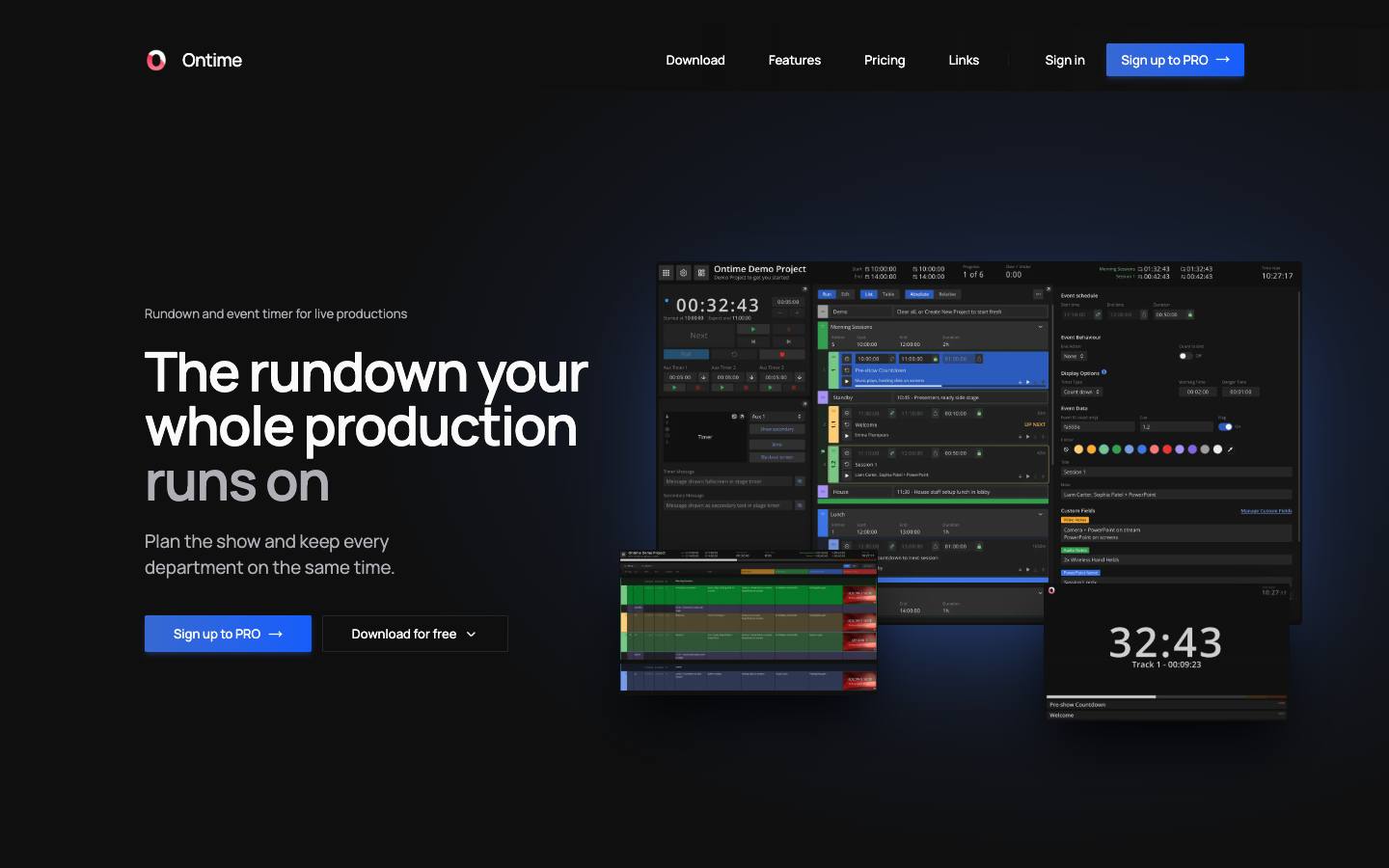
At a glance
- CRM
- –
- Security
- SOC 2 Type IInot foundISO 27001not foundGDPRnot foundSAML SSOnot foundDetails
Who it's for
- Production and AV teams running conference general sessions
- In-house event teams that want a free, self-hosted show-timing tool
- SMB
- Mid-market
- Enterprise
- Conferences
- User conferences
- Hybrid events
How much does Ontime cost?
- Starting price
- $20/month (Ontime Cloud PRO)
- Pricing model
- Freemium
- Free plan
- Yes
- Free trial
- No
Self-hosted use is free and fully featured; Ontime Cloud PRO ($20/month, 3 stages) and STUDIO ($80/month, 10 stages) add hosting and support.
Published plans
- Fully featured
- Open source
- Self-managed hosting
- Docs and community support
- 3 simultaneous stages
- Stable public links
- Unlimited team members
- Email support
- 10 simultaneous stages
- Project checkpoints and archive
- Direct support
Free plan available · From Ontime's pricing page, checked 2026-10-18. Prices can change; confirm with the vendor.
Strengths and considerations
What stands out
- Open source (GPL v3) and free to self-host
- Native show-control protocols suited to professional AV crews
Worth checking
- Built for production crews, not for attendee-facing event marketing
- Company details, named customers and security certifications aren't published
- Self-hosted users rely on community support
Key features
- Shared rundownOne schedule with groups, milestones, custom fields and multiple rundowns per project, importable from Excel or Google Sheets.
- Automated viewsStage timer, backstage, countdown, studio clock, timeline and public signage screens driven by the live rundown.
- Live delay propagationTiming changes and delays flow to every connected display in real time.
- Show-control APIsOSC, HTTP and WebSocket interfaces plus a Bitfocus Companion module for triggering cues.
- Flexible deploymentRuns on Windows, macOS, Linux, Docker or Raspberry Pi, or in Ontime Cloud.
Integrations
- Bitfocus Companion
- OSC
- HTTP API
- WebSocket API
- Excel
- Google Sheets
- MCP server
- Excel import
- Google Sheets import
Connects natively to show-control systems through OSC, HTTP and WebSocket APIs and a Companion module, with outbound HTTP/OSC automations; no Zapier or business-app connectors.
Security & IT pre-check
What Ontime publicly documents on its own website, checked 2026-10-18. "Not found" means we couldn't find it on public pages; many vendors share documents on request or under NDA.
- SOC 2 Type II: not found
- SOC 2 Type I: not found
- ISO 27001: not found
- GDPR compliance: not found
- Data processing agreement (DPA): documented · source
- CCPA / CPRA: not found
- Subprocessor list: not found
- EU data hosting: not found
- SAML single sign-on: not found
- Public API: documented · source
- Webhooks: documented · source
- Trust center: not found
- Public status page: not found
- Published pricing: documented · source
- Public changelog: documented · source
Buying details
From Ontime's own website, checked 2026-10-18.
- Event formats
- In-person, Hybrid
- Implementation
- Self-serve: download for Windows, macOS, Linux, Docker or Raspberry Pi, or sign up for Ontime Cloud in minutes
- Support
- Docs and Discord community for the free version; email support on Cloud PRO and direct support on STUDIO
- Contract
- month-to-month (Cloud renews monthly or annually)
- Languages
- English
AI capabilities
- MCP server for creating, editing and checking rundowns with AI assistants
Questions to ask in a Ontime demo
5 questions
Written by our editors from the vendor's public information. Use them to get specific answers before you sign.
- 1. What support response times do the Ontime Cloud PRO and STUDIO plans include, and what support is available for self-hosted users during a live show?Why ask: Self-hosted users rely on community support, while Cloud plans add support.
- 2. Who operates Ontime Cloud, where is it hosted, and what security controls protect rundowns shared with clients?Why ask: Company details and security certifications aren't published.
- 3. Can you show a delay pushed from the operator view reaching stage, backstage and public signage screens, and what happens to displays if the network drops?Why ask: Live delay propagation to every connected display is a core feature.
- 4. What can the MCP server change in a rundown, and how do we restrict AI assistants from editing a live show?Why ask: An MCP server is offered for creating, editing and checking rundowns with AI assistants.
- 5. Is anything in Ontime Cloud missing from the free self-hosted build, and what happens when we need more than 10 stages?Why ask: Self-hosted is described as fully featured, while Cloud STUDIO caps at 10 stages for $80/month. source
Ontime alternatives
Ranked by how closely each product matches: the problems it solves, company sizes and event programs it serves, and shared integrations.
 Rundown StudioEvent planning & production
 StagetimerEvent planning & production
 PholeoEvent planning & production
 KNŌ EventsEvent planning & production
 CueForgeEvent planning & production
 Circa (formerly EventGeek)Event promotion & referral
 ComtevEvent planning & production
 NowadaysEvent email & invitations
 AletheiaAI for events
 MergeLabsEvent planning & production
More on Ontime
Ontime FAQ
What is Ontime?
How much does Ontime cost?
What does Ontime integrate with?
What are the best Ontime alternatives?
Is Ontime SOC 2 compliant?
Last verified 2026-10-18. How we research. Sources: getontime.no · github.com · docs.getontime.no