
CueForge
AI tool that turns a client agenda into a production-ready show flow
Freemium · Free plan · Free trial
Category
In-person, Hybrid
Event formats
Startup, Mid-market
Company size fit
CueForge is a web app for show callers, producers and AV teams that generates a technical run-of-show from an uploaded agenda or source files, then lets teams edit it in a grid. It adds production cues, color-coded segments, scripts linked to cues and client-facing share links. A free tier covers one new event per month, with Pro features unlocked by subscription.
cueforge.appVisit ↗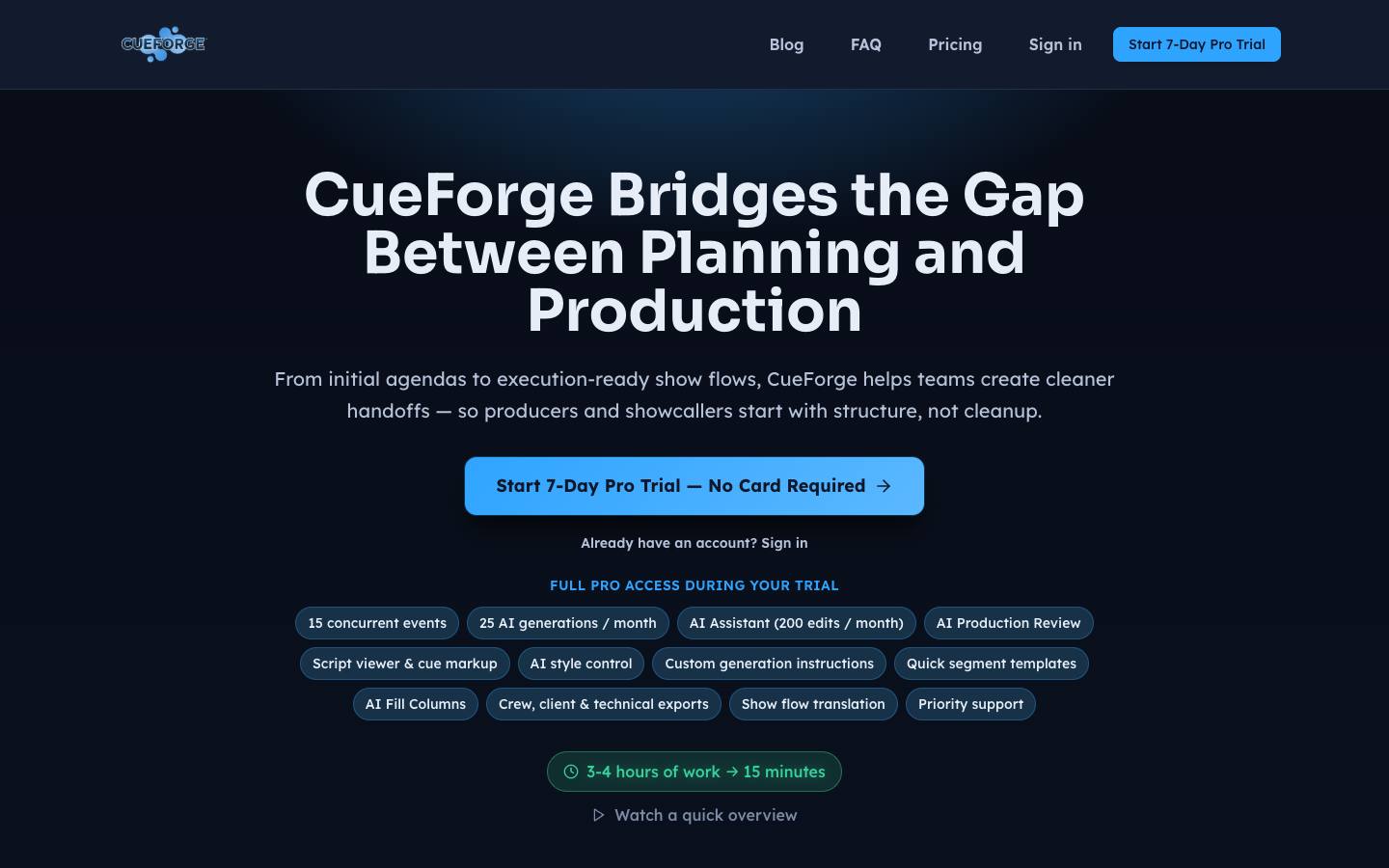
At a glance
- CRM
- –
- Security
- SOC 2 Type IInot foundISO 27001not foundGDPRnot foundSAML SSOnot foundDetails
- Product updates
- None in the last 90 days · latest 2025-12-17 · Changelog ↗
Who it's for
- Show callers, producers and AV companies building run-of-show documents for corporate events
- Event agencies that turn client agendas into technical cue sheets
- SMB
- Mid-market
- Conferences
- User conferences
- Hybrid events
How much does CueForge cost?
- Starting price
- $15/month (Pro) or $144/year
- Pricing model
- Freemium
- Free plan
- Yes
- Free trial
- Yes, 7 days (Pro, no credit card)
Free tier allows one new event per month; new signups get a 7-day Pro trial and Pro is billed monthly (prices shown in-app).
Published plans
- 1 new event per month
- 10 AI generations per month
- Basic PDF and Excel exports
- Version history
- Up to 15 concurrent events
- 25 AI generations per month
- AI Assistant with 200 edits a month
- Crew, client and technical exports
- Show flow translation
Free plan available · Free trial: 7 days · From CueForge's pricing page, checked 2026-10-18. Prices can change; confirm with the vendor.
Strengths and considerations
What stands out
- Purpose-built for technical show flows rather than attendee-facing agendas
- Revisions merge into existing cues instead of regenerating from scratch
Worth checking
- Very early-stage product with little public company information
- Production planning only; no registration, attendee or marketing features
- No integrations beyond file import/export are described
Key features
- Agenda-to-show-flow generationBuilds a full run-of-show from an uploaded agenda, including multi-room Excel workbooks.
- Update from agendaApplies a revised client agenda as reviewable diffs without wiping production cues.
- Script and cue linkingPro toolkit keeps scripts beside the show flow with linked margin cues for show calling.
- Client share linksSeparate links with hidden columns where clients can leave cell-level notes.
- Branding and exportsCustom logos, colors and column layouts, with PDF and Excel export.
- Version historyAuto-save with snapshots before regenerations and restores.
Integrations
- Excel (XLSX import/export)
- PDF import/export
- Word (DOCX) import
- Google Docs (exported files)
No app integrations or Zapier; it works through file import (DOCX, PDF, XLSX, text, event site URL) and PDF/Excel export.
Security & IT pre-check
What CueForge publicly documents on its own website, checked 2026-10-18. "Not found" means we couldn't find it on public pages; many vendors share documents on request or under NDA.
- SOC 2 Type II: not found
- SOC 2 Type I: not found
- ISO 27001: not found
- GDPR compliance: not found
- Data processing agreement (DPA): not found
- CCPA / CPRA: not found
- Subprocessor list: not found
- SAML single sign-on: not found
- Public API: not found
- Webhooks: not found
- Trust center: not found
- Public status page: not found
- Published pricing: documented · source
- Public changelog: not found
Buying details
From CueForge's own website, checked 2026-10-18.
- Event formats
- In-person, Hybrid
- Implementation
- Self-serve in the browser, nothing to install
- Support
- Email (support@cueforge.app)
- Contract
- month-to-month
- Languages
- English
AI capabilities
- AI generation of a complete run-of-show from agendas and documents
- AI Fill Columns that drafts GFX, camera, livestream and media-server entries from source files
- AI Production Review that flags production risks in a show flow
- Natural-language AI assistant for editing the show flow
Questions to ask in a CueForge demo
5 questions
Written by our editors from the vendor's public information. Use them to get specific answers before you sign.
- 1. What does the Pro plan cost per month and per seat, and how many collaborators can edit one show flow at the same time?Why ask: Pro is billed monthly but prices are shown only in-app, not on the public site. source
- 2. Can you upload one of our real multi-room agendas live and show how accurately the generated run-of-show maps sessions, rooms and cues?Why ask: Agenda-to-show-flow generation, including multi-room Excel workbooks, is the core AI claim.
- 3. When a revised agenda arrives the night before, how are conflicts between the client's changes and our manually entered production cues shown and resolved?Why ask: The profile says revisions are applied as reviewable diffs without wiping production cues.
- 4. Is there any API, show-control or live-timing connection, or is file import and PDF/Excel export the only way data moves in and out?Why ask: No integrations beyond file import/export are described.
- 5. Who operates the company, where is our client data hosted, and is uploaded agenda content used to train your AI models?Why ask: The profile notes very little public company information and lists no security details.
CueForge alternatives
Ranked by how closely each product matches: the problems it solves, company sizes and event programs it serves, and shared integrations.
 OntimeEvent planning & production
 Rundown StudioEvent planning & production
 MergeLabsEvent planning & production
 PholeoEvent planning & production
 Script ElephantAgenda & speaker management
 StagetimerEvent planning & production
 PlanBriteEvent planning & production
 BeauTron.aiAI for events
 Circa (formerly EventGeek)Event promotion & referral
 ComtevEvent planning & production
More on CueForge
CueForge FAQ
What is CueForge?
How much does CueForge cost?
What does CueForge integrate with?
What are the best CueForge alternatives?
Is CueForge SOC 2 compliant?
Last verified 2026-10-18. How we research. Sources: cueforge.app