Best Event CRM Software in 2027: The Buyer's Shortlist
By EventMarketingSoftware.com · Published October 19, 2026 · 12 tools compared
The best event CRM keeps one record per person and builds their history across every event, instead of leaving guest lists in spreadsheets. Blackthorn, hapily and EVA Event Tech run events inside Salesforce or HubSpot, Diobox and Glue Up have their own built-in contact databases, and Cvent, Zoho Backstage, Gatsby and Swoogo write events, registrations and attendance into the CRM you already own.
Our top picks
- 1
 BlackthornBest for Salesforce organizations that want every event record stored in their own orgQuote only
- 2
 hapilyBest for HubSpot teams that want events, sessions and registrants as HubSpot recordsFrom $417/month
- 3
 EVA Event TechBest for smaller Salesforce teams that want native event records at a published monthly priceFrom $49/month
Key takeaways
- An event CRM is either a CRM with events built in, an event app that runs inside your CRM, or an event platform that writes deeply into one. Pick the shape first: it decides whether event history lives in your CRM, in the event tool or in both.
- Native apps remove the sync entirely. Blackthorn and EVA Event Tech store events, registrations and attendees as Salesforce records, and hapily stores events, sessions and registrants as HubSpot custom objects, so there's no connector to break.
- Published prices span free to five figures. Diobox has a free plan for 25 guests per event, EVA's registration module is $49 a month, SyncApps by Cazoomi is $150 a month, Glue Up starts at $3,000 a year and Swoogo at $11,800 a year, all checked October 2026.
- Microsoft Dynamics and Zoho users have fewer options than Salesforce or HubSpot users. Cvent's Dynamics 365 integration writes events, sessions, session registrations and attendee activity to Dynamics, Zoho Backstage writes ZBS Events, Attendees and Tickets modules to Zoho CRM, and InviteDesk lists a Dynamics 365 connector.
- Relationship history is the real payoff. Gatsby keeps guest profiles with event history that spans years, Diobox shows a timeline of emails, forms, check-ins and attendance per guest, and Glue Up ties event participation to member records.
Free tool: Map Event Data Into Your CRM. A free AI skill for Claude, ChatGPT and any SKILL.md agent that designs one campaign and status scheme for all your events, maps registration and badge exports to CRM fields and builds import-ready files.
Side-by-side comparison
The same criteria for every pick: where event data lives, objects written to the crm, cross-event contact history, crms supported, published pricing. A dash means the vendor doesn't publish it.
| Tool | Starting price | Free plan / trial | CRM | Capterra | App Store | Security |
|---|---|---|---|---|---|---|
| Blackthorn | Quote only | – | Salesforce | – | ★ 5.0 (16) | SOC 2 Type II, DPA |
| hapily | From $417/month | – | HubSpot | – | – | SOC 2 Type II, DPA |
| EVA Event Tech | From $49/month | Free plan | Salesforce | – | – | – |
| Diobox | From $149/month | Free plan | – | ★ 4.4 (9) | ★ 4.4 (62) | DPA |
| Glue Up | From $3,000/year | – | Salesforce | – | – | DPA |
| Zoho Backstage | From €99.17/month | Free plan, Free trial | – | ★ 4.3 (31) | ★ 2.2 (41) | – |
| Cvent | Quote only | – | Salesforce, HubSpot, Dynamics, Marketo | ★ 4.5 (1099) | ★ 4.8 (40,670) | SOC 2 Type II, ISO 27001, DPA |
| Gatsby | Quote only | – | Salesforce, HubSpot | – | – | SOC 2 Type II, SAML SSO |
| Swoogo | From $11,800/year | – | Salesforce, HubSpot, Marketo | ★ 4.7 (82) | ★ 2.7 (75) | ISO 27001, SAML SSO, DPA |
| InviteDesk | From €232/month | – | Salesforce, HubSpot, Dynamics, Marketo | – | – | ISO 27001 |
| Certain | Quote only | Free plan | Salesforce, HubSpot, Marketo | ★ 4.3 (6) | ★ 4.8 (8) | SOC 2 Type II |
| SyncApps by Cazoomi | From $150/month | Free trial | Salesforce, HubSpot, Dynamics | – | – | DPA |
The phrase covers three different setups, and they store data in very different places. We compare 12 tools on what they actually write to a CRM, which CRMs they support, and whether a contact's event history survives from one event to the next, using vendor pages, help docs and pricing pages checked in October 2026.
Who this guide is for. This guide is for event marketers, field marketers, marketing operations teams and CRM admins who want event activity on the same contact records sales uses. It's most useful if guest lists live in spreadsheets, if every event starts from a fresh import, or if you run Microsoft Dynamics, Zoho or a smaller CRM and the usual Salesforce shortlists don't fit.
Not sure which one fits your team?
Answer a few questions about your events, team and CRM and get a free shortlist of tools that fit, with pricing and security details side by side.
Get a free shortlistThe best event CRM software in 2027
Here are 12 event CRM tools, ordered by how directly your event data lands on CRM records. CRM-native apps for Salesforce and HubSpot come first, then event platforms with their own contact database, then platforms that write deeply into Salesforce, HubSpot, Dynamics or Zoho, and finally a low-cost sync tool. For each one, check where a person's event history lives and which CRM objects it actually writes.
1. Blackthorn, best for Salesforce organizations that want every event record stored in their own org
- Price
- Quote only
- App Store
- 5.0/5 from 16 ratings
- Languages
- English
- Syncs with
- Salesforce
- Security
- SOC 2 Type II, DPA
- Customers include
- University of Wisconsin-Madison Division of Continuing Studies, Utah State University, Colorado State University
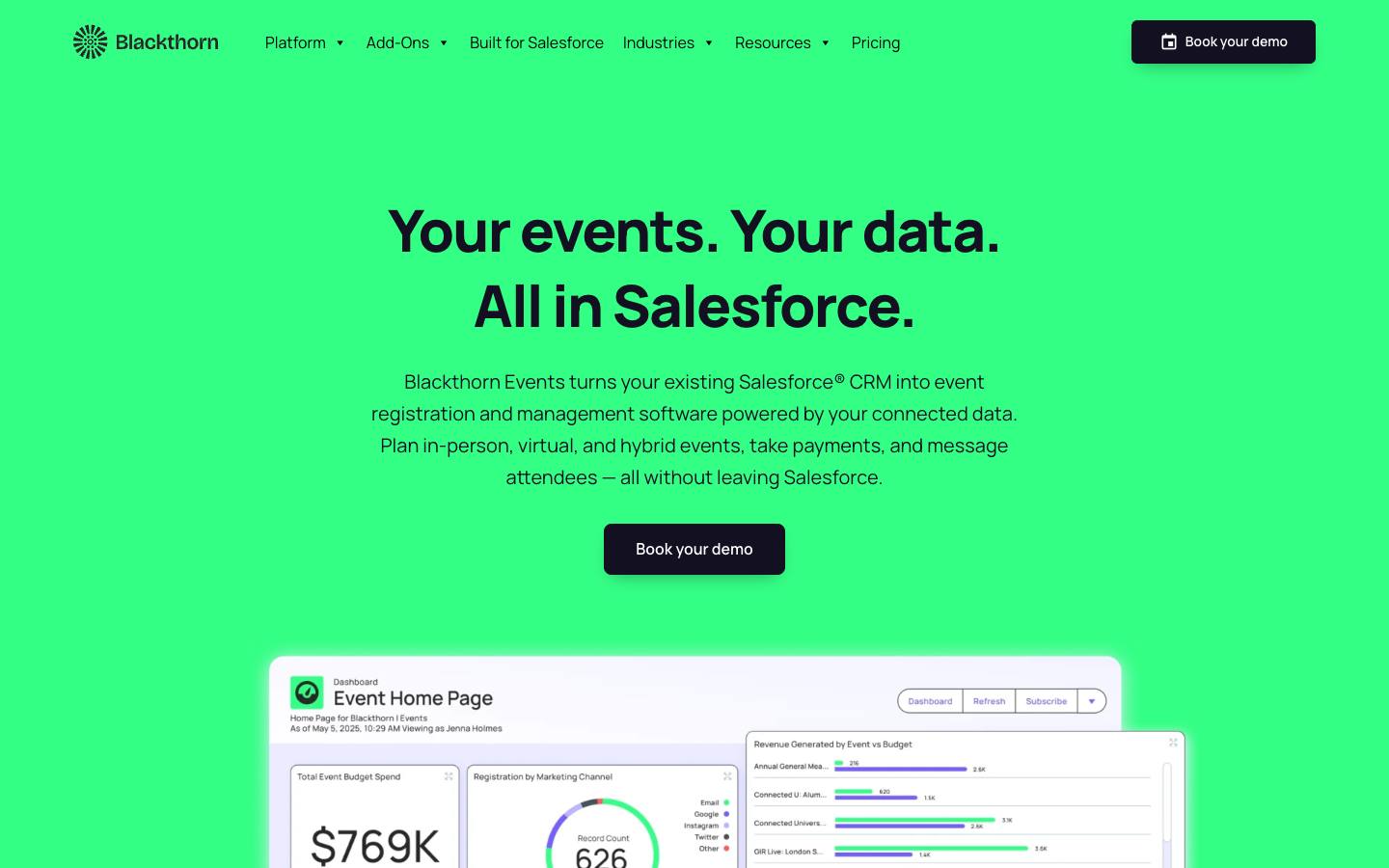
Blackthorn Events is built on the Salesforce platform and installs as a managed package. Events, sessions, registrations, attendees, payments and check-ins are stored on standard and custom Salesforce objects, so a contact's event history sits on the same record as their opportunities, cases and activities. Your sharing rules, flows and reports apply to event data without any middleware.
More on BlackthornLess on Blackthorn
Founded: 2015 · HQ: New York, NY · Formats: In-person, Virtual, Hybrid, Webinar
Campaign to event sync links a Salesforce campaign to an event, adds each registrant's contact or lead as a campaign member and lets you map attendee states such as Invited, Registered, Declined and Attended to your own campaign member statuses. With auto-sync on, new campaign members become attendee records, so a campaign can drive the invite list. A built-in rule allows one attendee per email per event, which helps keep records clean.
Its AppExchange listing showed a starting price of $8,425 per company a year and 4.97 from 274 reviews (checked October 2026); Blackthorn's own pricing page doesn't show prices. Payments through 120+ gateways, SMS messaging, the Event Navigator attendee app, badges and Smart Capture lead capture are separate add-ons, and Smart Capture holds 5.0 from 16 App Store reviews. Blackthorn was founded in 2015 in New York, documents SOC 2 and PCI DSS, and names customers including Audi, Canon, Poshmark and Southern New Hampshire University. For a Salesforce-only comparison, see our Salesforce event management software guide.
What stands out
- Events, registrations and attendees stored as Salesforce records
- Campaign to event sync with mappable campaign member statuses
- One attendee per email per event enforced by default
Worth checking
- Only works for organizations on Salesforce
- Payments, messaging, the attendee app and badges are add-ons
Best suited for. Blackthorn fits organizations where Salesforce is the system of record and event data must follow its security model and reports. Teams on another CRM, or that may leave Salesforce, should look at a connected platform instead.
2. hapily, best for HubSpot teams that want events, sessions and registrants as HubSpot records
- Price
- From $417/month
- Languages
- English
- Syncs with
- HubSpot
- Security
- SOC 2 Type II, DPA
- Customers include
- Duke Corporate Education, Imperial PFS, Pearagon
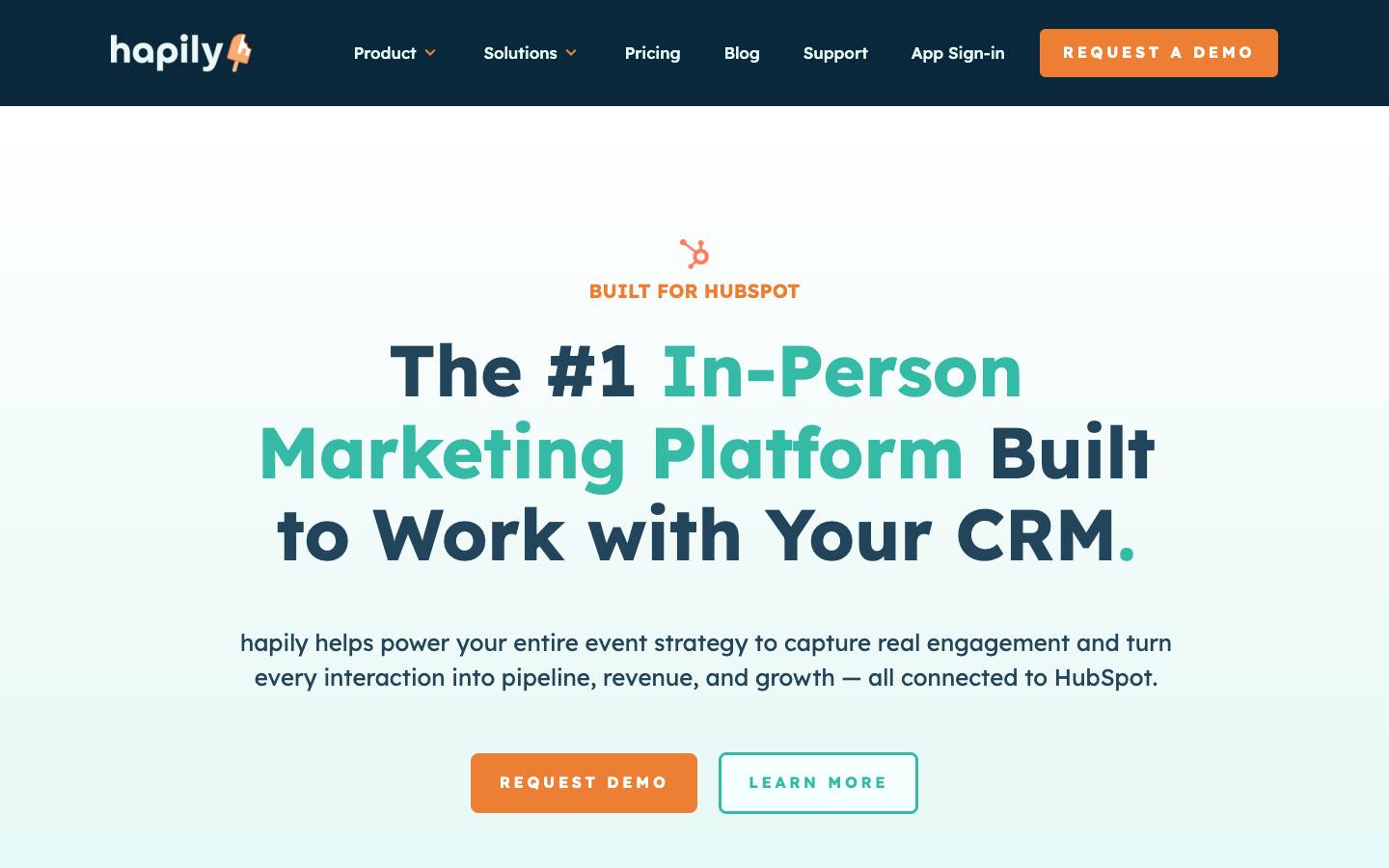
hapily is an event management app built natively on HubSpot. Events, sessions and registrants are stored as HubSpot custom objects, registrations use HubSpot forms and workflows, and registrants and event leads become HubSpot contacts and leads. That means event history sits on the contact timeline alongside email, deal and sales activity, with no outside system holding a second copy.
More on hapilyLess on hapily
Founded: 2025 · HQ: New York, NY · Team: 11-50 people · Formats: In-person, Virtual, Hybrid, Webinar
It covers registration for free and paid events, QR check-in and badge printing, mobile lead capture with AI enrichment, and deal attribution reporting in HubSpot dashboards, and it syncs registration and attendance from Zoom. Its HubSpot App Marketplace listing held 5.0 from 43 ratings with more than 300 installs and said it needs access to custom objects on HubSpot Enterprise subscriptions (checked October 2026).
Pricing is credit-based and published: Hosted Events or Lead Capture at $600 a month each with 1,000 credits, or a Core Bundle at $833 a month with 2,000 credits and unlimited seats and events, all billed annually, with Event Meetings and Paid Events plus Sessions add-ons at $417 a month each (checked October 2026). One registration or one lead scan uses one credit. hapily was founded in 2025 in New York, documents SOC 2 Type II and names customers including Arizona State University, Edelman, Eastern Bank and OUTFRONT Media. For other HubSpot options, see our HubSpot event management software guide.
What stands out
- Events, sessions and registrants stored as HubSpot custom objects
- Published credit-based pricing from $600 a month billed annually
- Registration, check-in, lead capture and attribution in one app
Worth checking
- HubSpot only, and the listing calls for an Enterprise subscription
- Credits run out faster for large free events
Best suited for. hapily fits HubSpot Enterprise teams that want event data on HubSpot records without a sync layer. Teams on HubSpot Starter or Professional, or on another CRM, should compare platforms that sync to HubSpot marketing events instead.
3. EVA Event Tech, best for smaller Salesforce teams that want native event records at a published monthly price
- Price
- From $49/month
- Try it
- Free plan
- Syncs with
- Salesforce
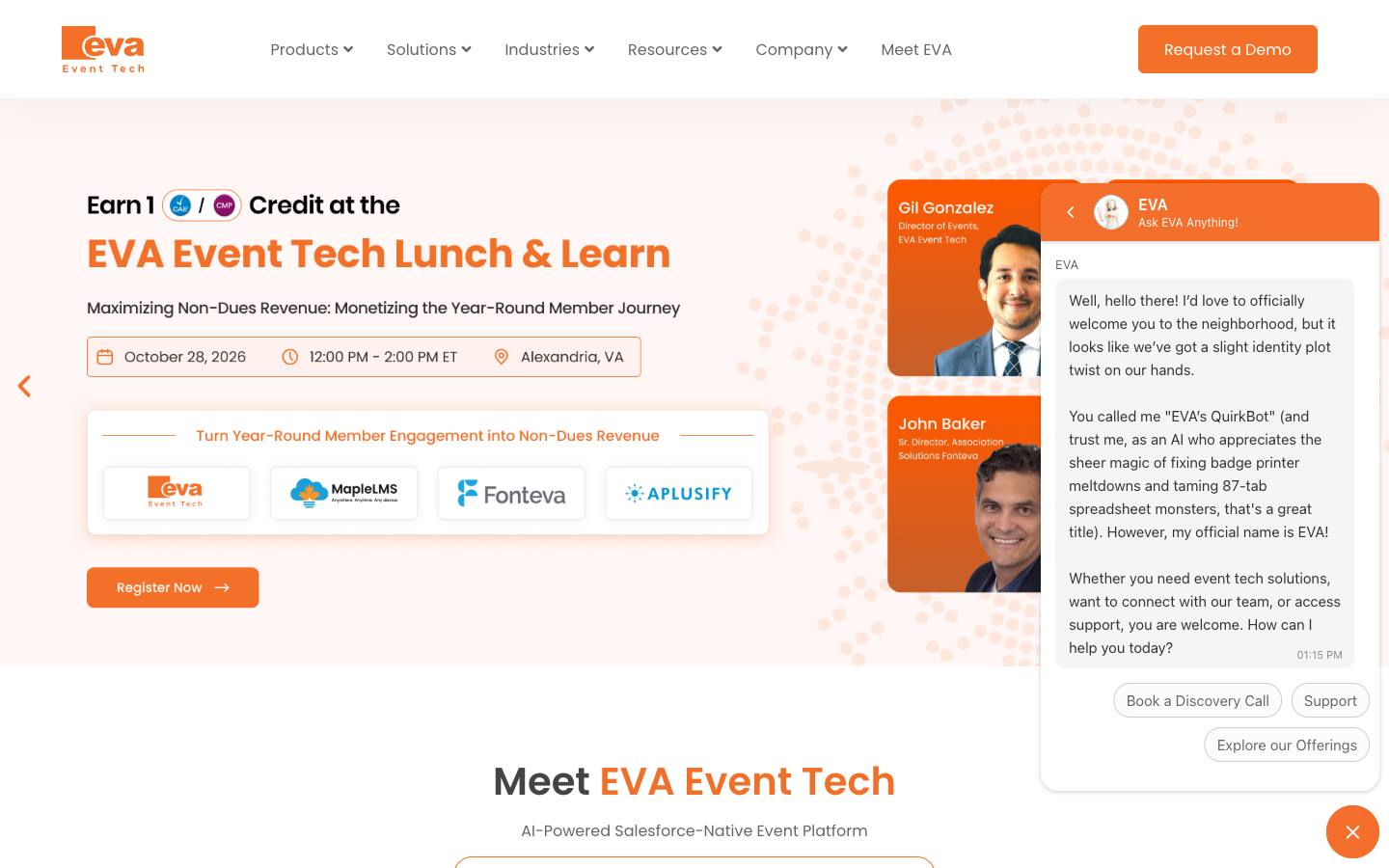
EVA Event Tech is a modular event platform that runs inside Salesforce, covering event websites, registration and payments, check-in with badge printing, an attendee app, sponsor lead capture and reporting. Because data lives on your own Salesforce objects, registrations and attendance sit on the contact record and Salesforce reports work on them directly.
More on EVA Event TechLess on EVA Event Tech
Founded: 2016
EVA publishes module prices: the Website Builder is included at $0, the Registration Builder is $49 a month, and Check-In and Badge Printing, Lead Capture, Event Insights and Attendee Hub are $99 a month each, with custom quotes for the complete platform (checked October 2026). The pricing page says there are no per-ticket commissions and no separate integration fee for Salesforce, since the platform is native. That makes it one of the cheapest ways to get event data into Salesforce as real records.
Its AppExchange listing, EVA Salesforce-Native Event Registration, installs as a managed package and held 4.35 from 51 reviews (checked October 2026). The listing describes multi-attendee and group registration, landing pages with custom URLs, ticketing with waitlists and discount codes, an agenda builder, Salesforce reports and dashboards, and a check-in app with onsite badge printing. The Lead Capture module syncs exhibitor scans to Salesforce leads. EVA was founded in 2016 and mainly serves associations, nonprofits, universities and enterprise event teams. Named reference customers and detailed campaign mapping documentation aren't published.
What stands out
- Salesforce-native records with no separate integration fee
- Registration module from $49 a month, checked October 2026
- Buy only the modules you need
Worth checking
- Requires a Salesforce org
- Named customers and detailed sync documentation aren't public
Best suited for. EVA Event Tech fits associations, nonprofits and small Salesforce teams that want native event records without a large contract. Teams that need detailed documentation or references before buying should request both during evaluation.
4. Diobox, best for small teams that want a guest database with history across events and a free plan
- Price
- From $149/month
- Try it
- Free plan
- Capterra
- 4.4/5 from 9 reviews
- App Store
- 4.4/5 from 62 ratings
- Security
- DPA
- Customers include
- Bosch, Netflix, Saint Laurent
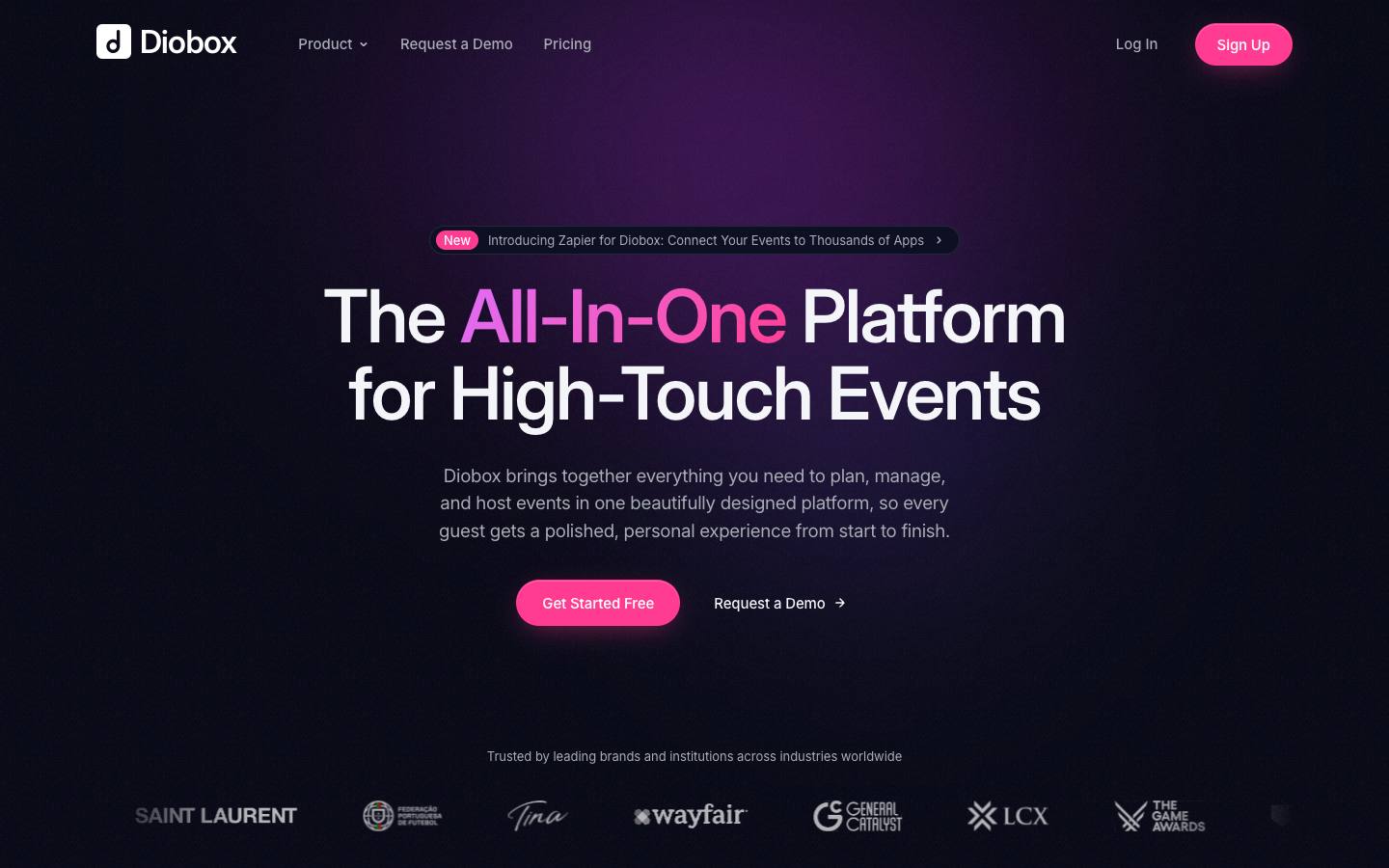
Diobox is a guest management platform with a built-in event CRM. Each guest has one profile across your account, and Diobox says it connects activity across events so you can see invites, attendance and engagement over time. Profiles include plus-one and group links, confirmation status and a timeline of emails, forms, check-ins and attendance.
More on DioboxLess on Diobox
Founded: 2014 · HQ: New York, NY · Formats: In-person
When you add a guest to a new event, Diobox searches your past events and suggests matches from your master contacts, which saves re-entering details and adds to that guest's history. Custom tags and segments built from more than a dozen attributes plus form answers help you build invite lists, and imports use field matching and duplicate detection. It also covers invitations, RSVPs, QR check-in, seating, badges, ticketing, kiosk check-in, SMS and WhatsApp messaging, and an exhibitor lead retrieval app on Enterprise.
Diobox has a free plan for 25 guests per event and one active event. Paid plans billed yearly are Professional at $149 a month for 500 guests per event and 5 licenses, Corporate at $299 a month for 5,000 guests and badge printing, and Enterprise at $449 a month for 15,000 guests with lead retrieval (checked October 2026). It holds 4.44 from 9 Capterra reviews and 4.44 from 62 App Store ratings (checked October 2026). Founded in 2014 in New York, it names customers including Netflix, Wayfair, General Catalyst and Bosch. The main gap is CRM connectivity: we found Zapier but no native Salesforce or HubSpot connector.
What stands out
- One guest profile with an activity timeline across events
- Free plan, and paid plans from $149 a month billed yearly
- Past-event guest suggestions and duplicate-aware imports
Worth checking
- No native Salesforce or HubSpot connector, only Zapier
Best suited for. Diobox fits small event and marketing teams that run curated in-person events and want a guest database instead of spreadsheets. Teams that need event history on Salesforce or HubSpot records should pick a CRM-native app or a platform with a native connector.

5. Glue Up, best for associations and chambers that want events, members and payments in one CRM
- Price
- From $3,000/year
- Languages
- English, Russian, Chinese
- Syncs with
- Salesforce
- Security
- DPA
- Customers include
- Nu Skin, Angel Yeast, OBN
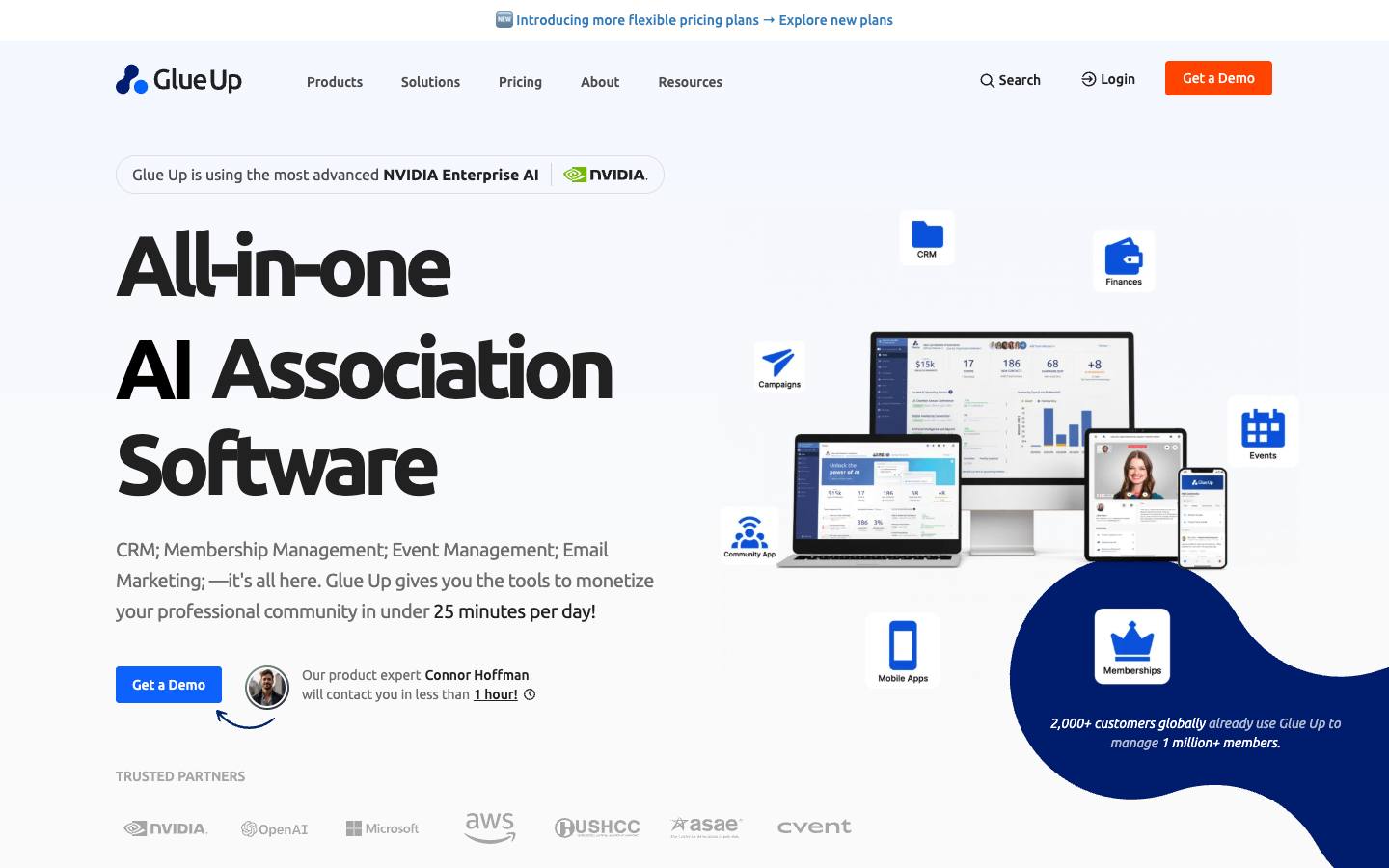
Glue Up is an association and community management platform that combines CRM, membership management, event management, email marketing, invoicing and learning tools in one system. Its event tools sit inside the member database, so registrations, attendance, payments and engagement are tracked against the same contact record as dues and renewals.
More on Glue UpLess on Glue Up
Founded: 2013 · HQ: McLean, VA · Team: 51-200 people · Formats: In-person, Virtual, Webinar
Glue Up's event pages say event participation is linked to member records, with registrations, attendance and access tracked together and event activity feeding engagement insights and follow-up. Events cover websites, ticketing and payments, branded invitations, segmented emails and attendee chat for online events. Integrations listed on its site include Cvent, Zoom, Outlook, QuickBooks, Xero, Sage Intacct and Stripe, plus API and webhook access.
Pricing is published as ranges and billed annually: Essential costs $3,000 to $6,500 a year and includes membership, events, CRM and email, Advanced costs $8,000 to $18,500 a year and adds automation, integrations and enhanced reporting, and Enterprise is custom with multi-chapter, multi-language and multi-currency support (checked October 2026). The pricing page offers a demo rather than a free trial. Glue Up was founded in 2013 and is based in McLean, Virginia, and names customers including MCI Group, BC Chamber of Commerce and the National Rural Education Association. Its own pages don't list a Salesforce or HubSpot connector, so it works best as the main CRM rather than alongside one.
What stands out
- Events, membership, CRM and invoicing share one contact database
- Published annual pricing from $3,000 a year
- Multi-chapter and multi-currency support on Enterprise
Worth checking
- No Salesforce or HubSpot connector listed on its pages
- Built for member organizations more than B2B demand generation
Best suited for. Glue Up fits associations, chambers of commerce and professional communities that want one system for members and their event history. B2B companies whose pipeline lives in Salesforce or HubSpot should choose a tool that writes into that CRM.

6. Zoho Backstage, best for Zoho CRM users that want events, attendees and tickets as CRM modules
From €99.17/month
- Price
- From €99.17/month
- Try it
- Free plan, Free trial
- Capterra
- 4.3/5 from 31 reviews
- App Store
- 2.2/5 from 41 ratings
- Customers include
- Amazon, Levi's, Razorpay
Zoho Backstage is Zoho's event management platform, and its enhanced Zoho CRM integration adds every Backstage event to a ZBS Events module in Zoho CRM. You can also create ZBS Attendees and ZBS Tickets modules with fields such as email, ticket name, total price, check-in status, tickets sold and attend mode.
More on Zoho BackstageLess on Zoho Backstage
Founded: 1996
Zoho's help documentation says attendees can update matched lead or contact records or create new ones, so a person's registrations and check-ins attach to the CRM record sales already uses. Older documentation describes Backstage events appearing as Zoho CRM campaigns, with Zoho CRM leads or contacts invited as attendees and a Push to CRM option per event, so confirm which version your account uses. Data typically appears in Zoho CRM within about two minutes, and only admins can set the integration up.
Backstage has a free plan for 100 attendees per event with check-in and badging. Paid plans billed annually are Essentials at $99 a month for 200 attendees per event, Premium at $208 a month for 1,000 attendees with exhibitor lead capture, AI matchmaking and the Zoho CRM integration, and Ultimate at $416 a month for 5,000 attendees, with pay-per-event options too (checked October 2026). It holds 4.26 from 31 Capterra reviews (checked October 2026), though the attendee app rates 2.22 from 41 App Store ratings. It's sold by Zoho Corporation, founded in 1996, which says it has never taken outside investment.
What stands out
- Writes ZBS Events, Attendees and Tickets modules to Zoho CRM
- Matches and updates existing Zoho CRM leads and contacts
- Free plan, and Zoho CRM sync from $208 a month billed annually
Worth checking
- Zoho CRM integration needs the Premium plan or higher
- The attendee app rates poorly on the App Store
Best suited for. Zoho Backstage fits companies already on Zoho CRM that want event data in the same suite at a published price. Teams on Salesforce, HubSpot or Dynamics will get deeper results from tools built for those CRMs.

7. Cvent, best for enterprise programs that need deep sync with Salesforce, HubSpot or Microsoft Dynamics 365
Quote only
- Price
- Quote only
- Capterra
- 4.5/5 from 1,099 reviews
- App Store
- 4.8/5 from 40,670 ratings
- Languages
- Support offered in 12 languages; event sites support multiple languages via language management
- Syncs with
- Salesforce, HubSpot, Dynamics, Marketo
- Security
- SOC 2 Type II, ISO 27001, DPA
- Customers include
- 6sense, Cognizant, Purdue University
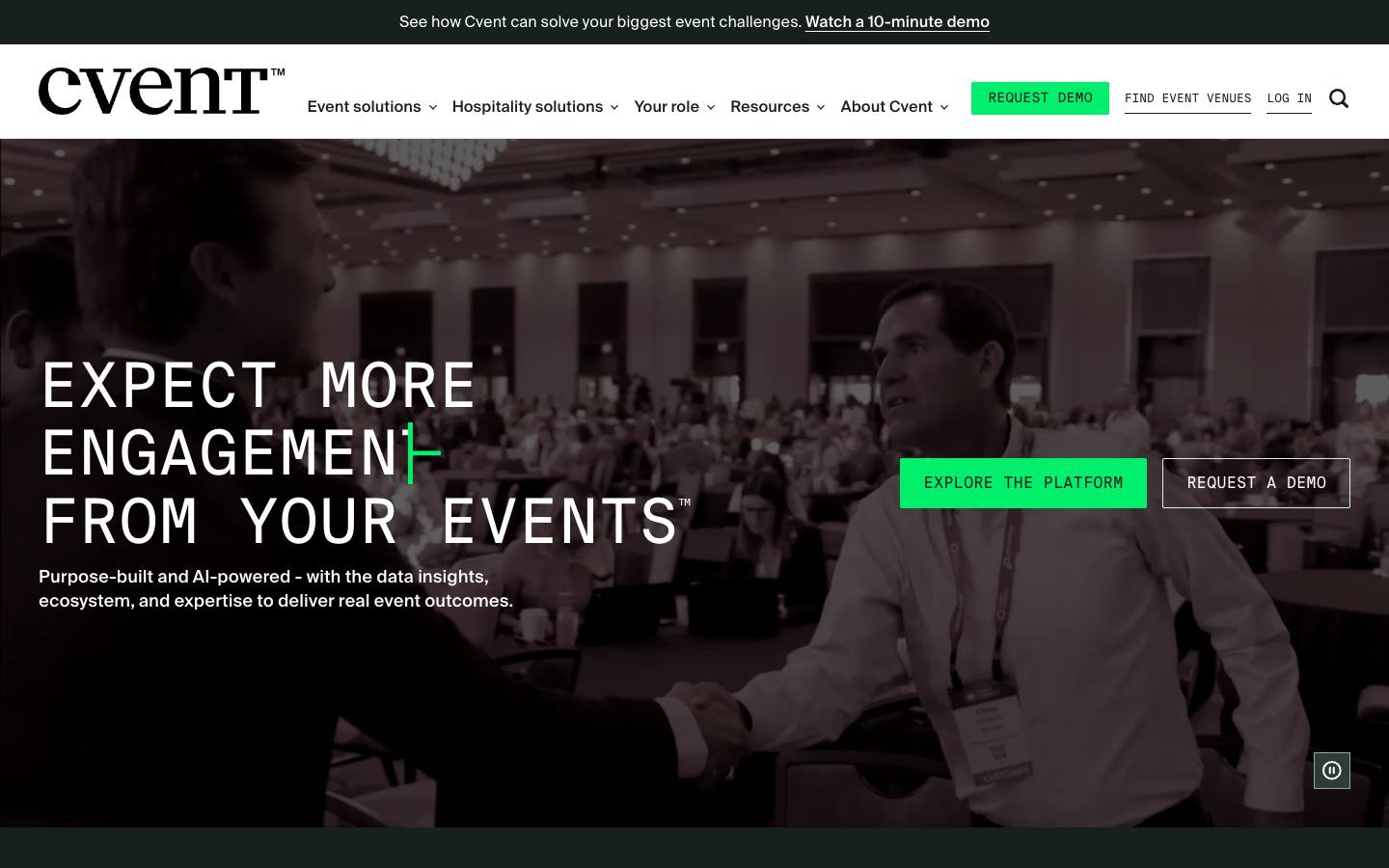
Cvent runs registration, venues, onsite, webinars and reporting on its own platform and writes event data into several CRMs. It's one of the few event platforms with a native Microsoft Dynamics 365 integration: Cvent's July 2026 release notes say it creates and updates events and sessions in Dynamics 365, adds Dynamics marketing list members as event invitees, captures registration status and activity, and records attendee activities to a custom entity.
More on CventLess on Cvent
Founded: 1999 · HQ: Tysons Corner, Virginia · Team: 5,001-10,000 people · Formats: In-person, Virtual, Hybrid, Webinar
In Salesforce, the Cvent Salesforce App is a managed package that lets reps invite and register contacts and see each contact's event history. You link events to campaigns and map attendee statuses to campaign member statuses, syncs run as often as every 15 minutes, and a temporary object holds data until it's matched to a contact, lead or person account. The AppExchange listing starts at $2,450 per company a year on top of a Cvent license (checked October 2026). In HubSpot, Cvent's app creates marketing events and updates attendee status and the contact timeline.
Cvent's licenses are quote-based, under Professional and Enterprise platform tiers with many add-ons. Its event management product holds 4.48 from 1,099 Capterra reviews (checked October 2026). It also lists connectors for Marketo, Oracle Eloqua, SugarCRM and Veeva. Cvent was founded in 1999, was taken private by Blackstone in 2023, documents SOC 2 Type II and ISO 27001, and names customers including 6sense, Cognizant and Duke University. It now also owns Goldcast and ON24.
What stands out
- Native Dynamics 365 integration with events, sessions and attendee activity
- Salesforce managed package with contact event history and 15-minute syncs
- HubSpot marketing events sync
Worth checking
- Quote-based pricing, with CRM apps and modules licensed separately
- A lot of platform for teams running a handful of events
Best suited for. Cvent fits large event programs that need one platform writing into Salesforce, HubSpot or Dynamics 365. Smaller teams with a few events a year will find simpler tools with published prices further down this list.

8. Gatsby, best for relationship-driven firms that track guests in Salesforce, Attio or Affinity
Quote only
- Price
- Quote only
- Languages
- English
- Syncs with
- Salesforce, HubSpot
- Security
- SOC 2 Type II, SAML SSO
- Customers include
- 8VC, Define Ventures, General Catalyst
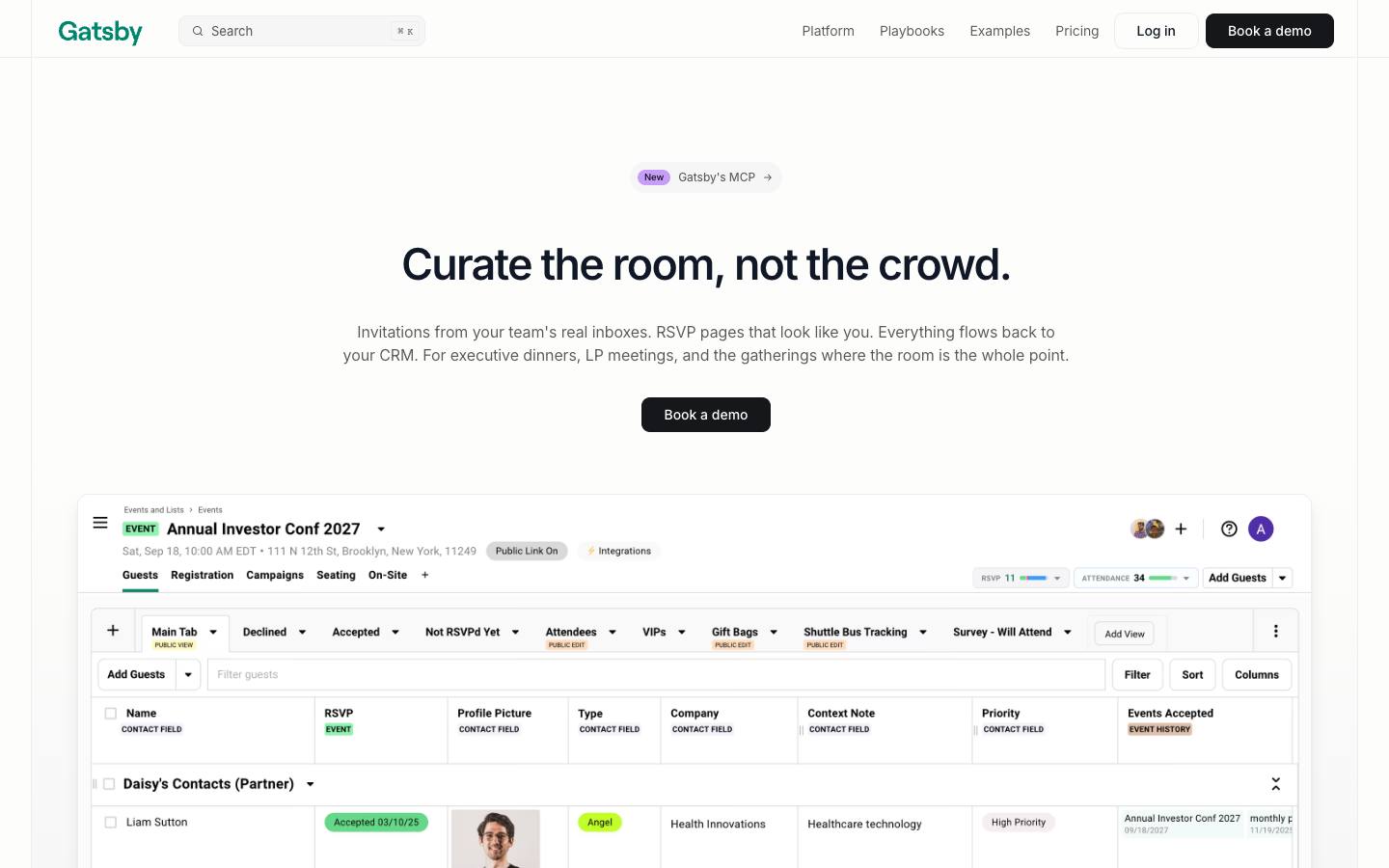
Gatsby is an invitation and guest management platform for executive dinners, LP meetings, private forums and VIP events, with invitations sent from executives' own Gmail or Outlook inboxes. Its guest profiles support multiple emails per contact and assistant copies, and its homepage describes event history that spans years, so returning guests confirm details rather than re-entering them.
More on GatsbyLess on Gatsby
HQ: San Francisco, US · Team: 11-50 people · Formats: In-person, Virtual
Gatsby says RSVPs and attendance sync to your CRM in real time, and its homepage lists Salesforce, Attio and Affinity, with Affinity in limited release. It also connects to Altvia, which is common in venture capital. In Salesforce, Gatsby's help center says adding or removing campaign members updates guest lists, and it writes RSVP status (such as Invited, Accepted, Declined or Waitlist) and attendance status (Yes or No Show) to Salesforce picklists, with sync direction chosen per field. Setup requires Change Data Capture on the campaign, campaign member and contact objects.
Pricing is set by team size and event volume with no per-guest fees and isn't published; the API, CRM integrations, mobile app and custom domains are add-ons. Gatsby documents SOC 2 Type II and SSO, says it supported more than 6,580 events in 2025, and names customers including Perplexity, General Catalyst, Lightspeed, Pear VC and GoFundMe. That makes it a strong fit for venture firms and enterprise teams where one relationship matters more than list volume.
What stands out
- Guest profiles with event history that spans years
- Real-time RSVP and attendance sync to Salesforce, Attio and Affinity
- Invitations sent from a real person's inbox
Worth checking
- Prices aren't published, and CRM integrations are add-ons
- HubSpot works through webhooks and Zapier rather than a native app
Best suited for. Gatsby fits VC and PE firms, membership networks and enterprise teams running invitation-only events where guest relationships matter most. Teams running large public conferences should choose a full event platform.

9. Swoogo, best for teams running many events that need registrants mapped to CRM records at no extra connector cost
From $11,800/year
- Price
- From $11,800/year
- Capterra
- 4.7/5 from 82 reviews
- App Store
- 2.7/5 from 75 ratings
- Syncs with
- Salesforce, HubSpot, Marketo
- Security
- ISO 27001, SAML SSO, DPA
- Customers include
- Australian Catholic University, Trimble, Atlassian
Swoogo is a registration and event management platform known for deep registration logic, and its native CRM integrations are included at no extra charge. In Salesforce it writes to contacts, leads, accounts and opportunities, creates campaigns, routes different registrants into different campaigns with conditional logic and sets campaign member statuses by attendance, no-show or cancellation.
More on SwoogoLess on Swoogo
Founded: 2015 · HQ: Los Angeles, US · Team: 51-200 people · Formats: In-person, Virtual, Hybrid, Webinar
In HubSpot, Swoogo maps events to marketing events and pushes registration statuses and custom fields, and it can add attendees, no-shows, VIPs and sponsors to HubSpot lists. Its Marketo integration adds new records, matches existing ones and updates registration history. For Attio, a Swoogo Events app built by dialed technologies creates an Events object and links People records to each event through Invited, Registered and Declined relationship fields, moving people between them as their status changes. Registrants reach Salesforce when they register, with an hourly catch-up sync.
Swoogo's Professional plan is $11,800 a year for one user with unlimited events and registrations, a check-in app and more than 30 integrations at no extra fee, while Enterprise is quote-based (checked October 2026). It holds 4.72 from 82 Capterra reviews (checked October 2026). Swoogo was founded in 2015, documents SOC 2, ISO 27001 and PCI DSS Level 1, and names customers including Atlassian, DocuSign, Twilio and OpenAI. It also offers a REST API, webhooks and an MCP server for Claude, ChatGPT and any SKILL.md agent.
What stands out
- Salesforce, HubSpot and Marketo connectors included at no extra fee
- Conditional routing of registrants into different campaigns
- Third-party Attio app links people to events by status
Worth checking
- Entry price of $11,800 a year is high for occasional events
- No native Dynamics 365 connector listed
Best suited for. Swoogo fits marketing teams running dozens of events a year that want clean registration data in Salesforce, HubSpot or Marketo without paying for connectors. Teams running a few events a year should look at the lower-priced options here.

10. InviteDesk, best for European B2B teams on Dynamics 365, Salesforce or HubSpot hosting client events
From €232/month
- Price
- From €232/month
- Languages
- English, Dutch, French, German
- Syncs with
- Salesforce, HubSpot, Dynamics, Marketo
- Security
- ISO 27001
- Customers include
- ABN AMRO, Select Group, Bank Nagelmackers
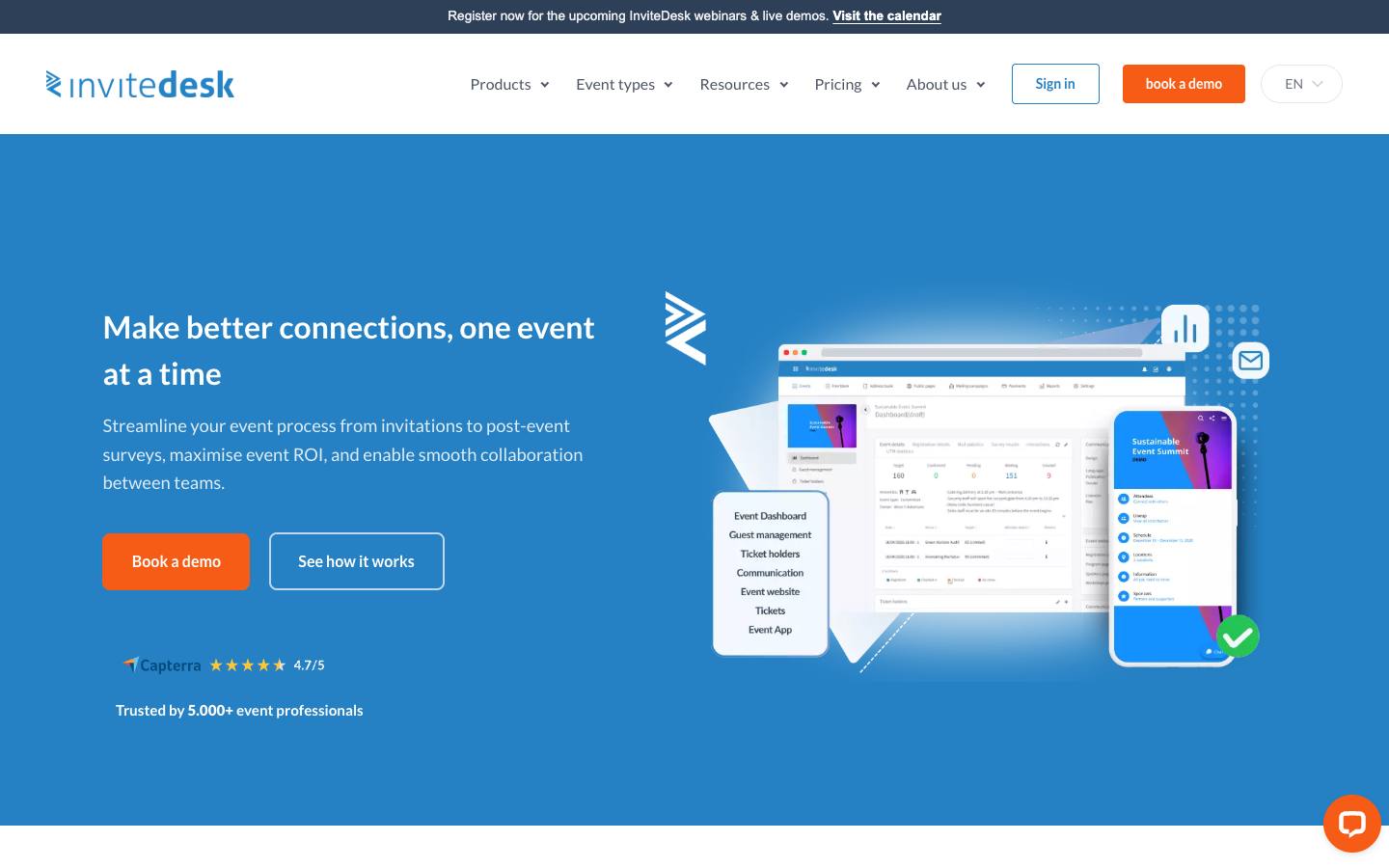
InviteDesk is a Belgian event suite for invitations and registration, with ScanApp for QR check-in and LineUpr for a browser-based event app, all on shared guest data. Its homepage lists plug-and-play connectors for HubSpot, Salesforce, Dynamics 365 and Marketo, says registrations and attendance flow into the CRM, and says account managers send invitations in their own name.
More on InviteDeskLess on InviteDesk
Founded: 2018 · HQ: Antwerp, Belgium · Team: 11-50 people · Formats: In-person, Hybrid, Virtual
That account-manager angle is what makes it CRM-shaped: invitations come from the person who owns the relationship, and the CRM stays in sync with who registered and who showed up. Its connector page says you control which data you sync. Registration supports conditional questions, time slots, capacity limits and GDPR consent tracking, and follow-up includes attendance and no-show exports. InviteDesk says it's used by more than 5,000 event professionals, and ABN AMRO says its sales and marketing teams now work from the same list.
Prices are published in euros: Plus from €232 a month billed annually for 10 or more events a year with one seat, Premium from €286 a month with scanning and attendance tracking, Platinum from €424 a month with paid events and guest segmentation, and a Single Event option from €1,320 with five seats (checked October 2026). SMS, custom domains and a possible setup fee are extra. InviteDesk was founded in 2018 in Antwerp, is ISO 27001 certified, supports English, Dutch, French and German, and names customers including ABN AMRO, Bank Nagelmackers and Select Group. Its public pages don't detail which CRM objects each connector writes, so ask for field maps.
What stands out
- Connectors for Dynamics 365, Salesforce, HubSpot and Marketo
- Invitations sent in account managers' own names
- Published euro pricing including a single-event option
Worth checking
- Public pages don't document which CRM objects each connector writes
Best suited for. InviteDesk fits European companies, especially in financial and professional services, that run client events and need attendance on Dynamics 365, Salesforce or HubSpot records. Teams that need detailed object mapping documented upfront should ask for it in the demo.

11. Certain, best for enterprise teams that want session and booth engagement sent to the CRM during the event
Quote only
- Price
- Quote only
- Try it
- Free plan
- Capterra
- 4.3/5 from 6 reviews
- App Store
- 4.8/5 from 8 ratings
- Syncs with
- Salesforce, HubSpot, Marketo
- Security
- SOC 2 Type II
- Customers include
- Analog Devices, Deloitte, National Instruments
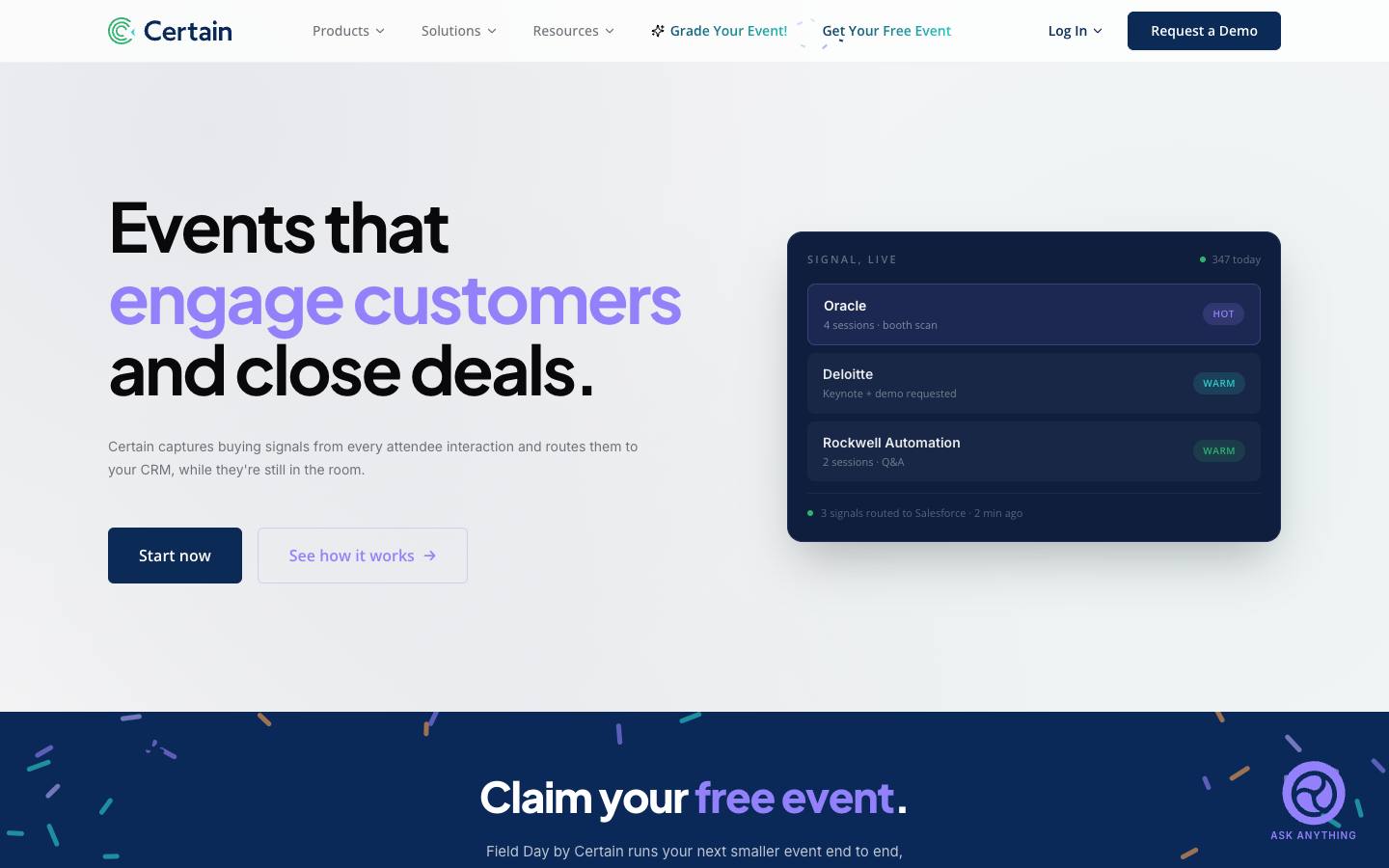
Certain is a long-running enterprise event management platform for registration, conference logistics and the Touchpoint mobile app, now positioned as an event intelligence system. It scores session attendance, booth visits and content downloads with AI, and its homepage says high-intent signals flow instantly into Salesforce, HubSpot or Marketo while attendees are still at the event.
More on CertainLess on Certain
Founded: 1994 · HQ: San Francisco, United States · Formats: In-person, Virtual, Hybrid
That makes Certain's CRM data different from a simple registered or attended status. Instead of only telling sales who showed up, it passes along what each person engaged with, tagged by intent, so follow-up can start in hours. A live event dashboard shows attendees, captured signals, hot leads synced and pipeline influenced, and behavior-based follow-up sends messages based on the sessions and content each attendee engaged with. Greet handles onsite check-in and badge printing, and no-code data flows move data between Certain and the rest of the marketing stack.
Pricing is custom and set by portfolio size and modules. Certain also offers Field Day, a free option for running a smaller event from registration through badge printing that syncs data to your CRM during the event, with restrictions it doesn't list. Certain holds 4.33 from 6 Capterra reviews and its Check-In app 4.75 from 8 App Store ratings (checked October 2026). Founded in 1994 and based in San Francisco, it documents SOC 2 Type II and PCI DSS, and names customers including Oracle, Thomson Reuters, Deloitte and Rockwell Automation. Its published CRM list is short, so confirm support for anything beyond Salesforce, HubSpot and Marketo.
What stands out
- AI-scored session, booth and content signals routed to the CRM in real time
- Free Field Day option for smaller events
- Decades of enterprise event management history
Worth checking
- Pricing isn't published
- Published CRM connectors are limited to Salesforce, HubSpot and Marketo
Best suited for. Certain fits enterprise marketing teams running large event portfolios that want engagement scores, not just attendance, on CRM records. Teams that only need registrations and statuses synced can choose a simpler platform.

12. SyncApps by Cazoomi, best for Eventbrite users that want events and attendees synced to Salesforce campaigns cheaply
From $150/month
- Price
- From $150/month
- Try it
- Free trial
- Languages
- English
- Syncs with
- Salesforce, HubSpot, Dynamics
- Security
- DPA
- Customers include
- Jendco Safety Supply, Thos. Baker, Y2 Yoga
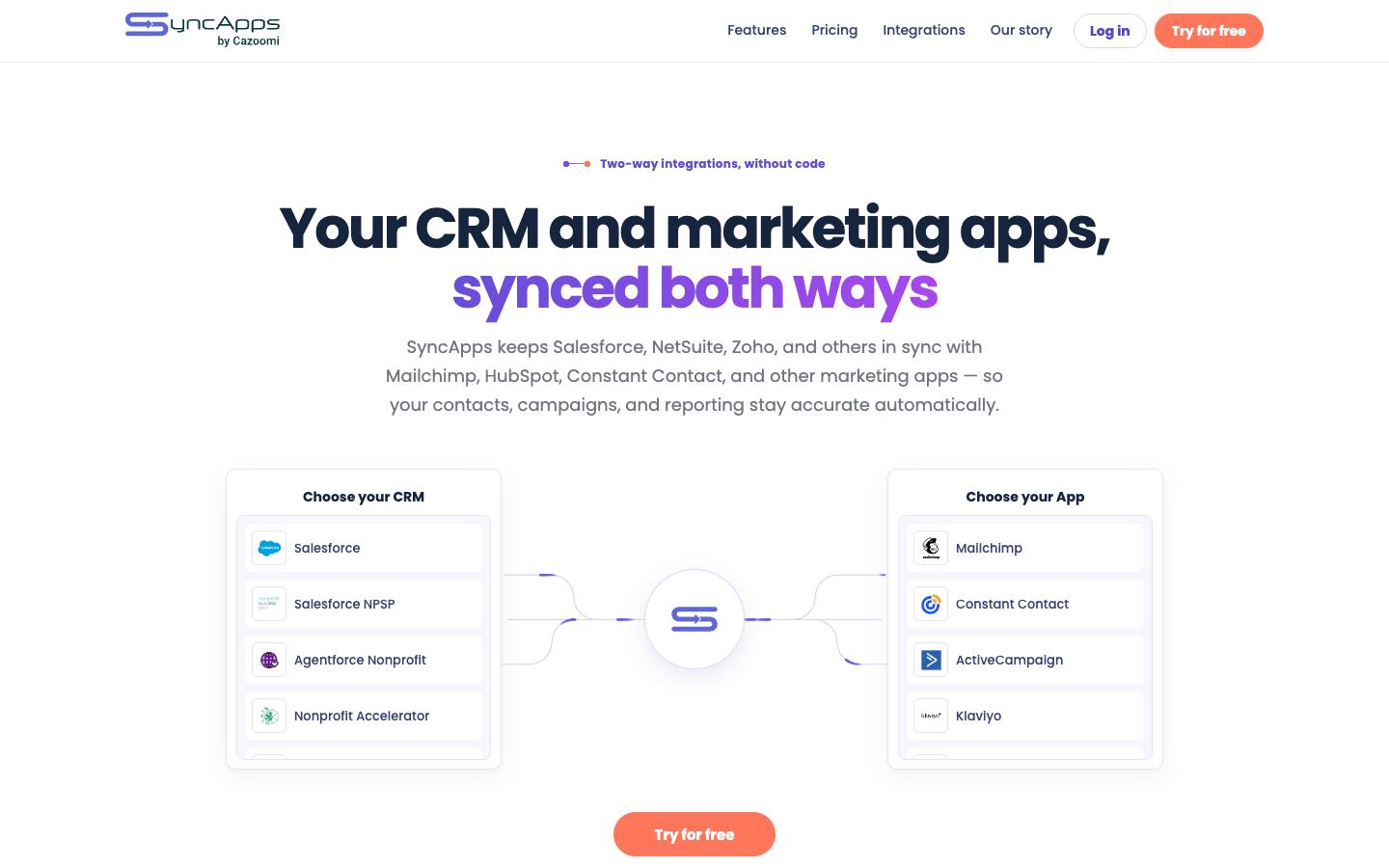
SyncApps by Cazoomi is a no-code integration service with prebuilt sync workflows between CRMs and marketing or event tools. For event teams, its Salesforce to Eventbrite integration syncs Eventbrite events to Salesforce campaigns, including registrants and attendees, which turns a ticketing tool into a source of CRM campaign data without building anything.
More on SyncApps by CazoomiLess on SyncApps by Cazoomi
Founded: 2009 · HQ: San Francisco, USA · Team: 1 people · Formats: Any format
The integration page says sync runs both ways with Salesforce taking precedence: Salesforce record changes flow to Eventbrite, while Eventbrite contact data is written to Salesforce only when the attendee's email isn't already there. That protects records sales maintains, but it also means Eventbrite won't update details on existing contacts. You choose when the sync runs during setup. SyncApps also connects Microsoft Dynamics 365, Zoho CRM, HubSpot, NetSuite and Salesforce NPSP to email tools such as Mailchimp and Constant Contact, which helps teams that invite through email platforms.
Cazoomi sells one plan at $150 a month, or $1,440 a year billed annually, covering every SyncApps integration with unlimited records synced, unlimited team members, real-time bidirectional sync and 24/7 human support, and nonprofits pay $112.50 a month or $1,350 a year (checked October 2026). It offers a free start without a sales call. Founded in 2009 in San Francisco and bootstrapped, it names customers including Accenture, Harvard University, PepsiCo and UNICEF.
What stands out
- Eventbrite events synced to Salesforce campaigns with registrants and attendees
- Flat $150 a month for every integration, checked October 2026
- Connectors for Dynamics 365, Zoho CRM and HubSpot too
Worth checking
- Doesn't update existing Salesforce contacts from Eventbrite data
- A sync tool, not an event platform
Best suited for. SyncApps fits small teams and nonprofits that already sell tickets on Eventbrite and want registrants and attendees on Salesforce campaigns for a flat monthly fee. Teams that need custom status mapping or session data should choose a platform with a native connector.
Picks 6 to 12 are folded to keep the list short. Open any of them, or compare them all in the table above.
Also worth considering
The best event CRM software by use case
| If you need | Company size | Look at |
|---|---|---|
| Salesforce-first company that wants event records under its own security model | Mid-market, Enterprise | Blackthornevents and attendees stored as Salesforce records |
| HubSpot Enterprise team that wants events on the contact timeline | SMB, Mid-market | hapilyevents, sessions and registrants as HubSpot custom objects |
| Small team with guest lists in spreadsheets and no CRM budget | Startup, SMB | Dioboxfree plan with a guest timeline across events |
| Association that wants members, dues and event attendance on one record | SMB, Mid-market | Glue Upevents, membership and CRM share one database |
| Company already running Zoho CRM | Startup, SMB | Zoho Backstagewrites events, attendees and tickets as Zoho CRM modules |
| Enterprise program with Microsoft Dynamics 365 as the CRM | Enterprise | Cventnative Dynamics 365 sync of events, sessions and activity |
| Venture firm tracking LP and founder relationships in Attio or Affinity | SMB, Mid-market | Gatsbyguest history across years with real-time CRM sync |
| Nonprofit selling tickets on Eventbrite with Salesforce as its CRM | Startup, SMB | SyncApps by Cazoomiflat-fee sync of Eventbrite events to Salesforce campaigns |
What results look like
Figures customers report in the vendors' own published case studies. They describe one customer each, not what every buyer should expect.
21,000
Total registrations
University of Wisconsin-Madison Division of Continuing Studies with Blackthorn · Case study
~7,000
Attendees
Nu Skin with Glue Up · Case study
393% ahead
Lead generation vs KPI
Australian Catholic University with Swoogo · Case study
How to choose
Background on what these tools do, how we ranked them and what to check before you buy. Open any topic.
What event CRM software actually is (and what it isn't)
Event CRM software keeps a single record for each guest, attendee or prospect and adds every invitation, registration, check-in and payment to that record, so you can see a person's history across all your events. It comes in three shapes. Event-native CRMs and guest databases, such as Diobox and Glue Up, include their own contact database with history across events. CRM-native event apps, such as Blackthorn and EVA Event Tech in Salesforce or hapily in HubSpot, run the event inside your CRM so registrations and attendance are CRM records. Event platforms with deep CRM sync, such as Cvent, Zoho Backstage and Swoogo, run the event on their own system and write events, campaign members, statuses and sessions into your CRM.
Venue software also calls itself event CRM. Event Temple and Tripleseat are sales and catering CRMs for hotels and venues: they track inquiries, room blocks, function space, proposals and banquet event orders. So yes, Event Temple is a CRM, but it's built for selling event space, not for marketing your company's events. If that's your job, see our venue management software guide.
An event CRM also isn't your company's main CRM, a lead retrieval app or an attribution tool, though it feeds all three. For platform-specific shortlists, see our guides to Salesforce event management software and HubSpot event management software. For linking events to pipeline, see our guide to marketing attribution software.
How we ranked these event CRM software tools
We compared 12 tools on how event data is stored and connected to contact records, using vendor product pages, help documentation, marketplace listings and pricing pages, all checked in October 2026. Picks are ordered by how directly event data lands on CRM records, starting with apps that run inside the CRM.
1. Where event data lives
Whether events, registrations and attendance are stored as records in your CRM, in the tool's own contact database, or synced across, from vendor product and help pages.
2. Objects written to the CRM
Which records the tool creates or updates (contacts, leads, campaigns, campaign members, custom event, session or attendee objects), from vendor documentation and release notes.
3. Cross-event contact history
Whether one person keeps one record with invitations, attendance and activity across events, as described on vendor pages.
4. CRMs supported
Which CRMs have a native or documented connector, including Microsoft Dynamics 365, Zoho CRM, Attio and Affinity, not only Salesforce and HubSpot.
5. Published pricing
Whether a price is published and what the entry plan includes, from the vendor's pricing page or our pricing data, checked October 2026.
More on our process in the methodology.
Choose where event data should live
Start by deciding which system owns a person's event history. If your CRM is the system of record, a CRM-native app such as Blackthorn, EVA Event Tech or hapily stores events, registrations and attendance as CRM records, so there's no sync to maintain, but you're tied to that CRM. If you don't have a CRM sales relies on, or your events are mostly relationship and hospitality events, an event-native guest database such as Diobox or Glue Up keeps one profile per guest with history across events. If you need a full event platform, choose one that writes deeply into your CRM, such as Cvent, Swoogo or Zoho Backstage, and accept that you'll manage matching and sync timing. Avoid running two contact databases that both think they're the master: decide which one wins when they disagree.
Check which CRM objects actually get written
A CRM logo on a vendor's site can mean anything from a full object model to a one-way contact push. Ask which records the tool creates or updates. Good answers name specific objects: Salesforce campaigns and campaign members with mapped statuses, HubSpot marketing events or custom objects, Dynamics 365 events, sessions and attendee activities as in Cvent's integration, or Zoho CRM's ZBS Events, Attendees and Tickets modules from Zoho Backstage. Then ask how it matches people. Some tools update existing leads and contacts by email, some create leads for anyone new, and SyncApps' Eventbrite connector only writes Eventbrite data when the email isn't already in Salesforce. Finally, check whether session attendance, lead scans and engagement scores reach the CRM, or only registration and attendance.
What event CRM software costs
Published prices, checked October 2026, cover a wide range. Diobox has a free plan for 25 guests per event and paid plans from $149 a month billed yearly. EVA Event Tech's Salesforce-native registration module is $49 a month. SyncApps by Cazoomi is $150 a month for every integration. Zoho Backstage includes the Zoho CRM integration from its Premium plan at $208 a month billed annually. InviteDesk starts at €232 a month billed annually or €1,320 for a single event. hapily starts at $600 a month billed annually, Glue Up at $3,000 a year and Swoogo at $11,800 a year. On the AppExchange, Blackthorn lists $8,425 per company a year and the Cvent Salesforce App $2,450 per company a year on top of a Cvent license. Cvent, Certain and Gatsby are quote-based, and several vendors charge separately for CRM connectors, so get that line item in writing.
Questions to ask vendors
Ask which CRMs you support natively, and whether Microsoft Dynamics 365, Zoho CRM, Attio or Affinity connectors are built by you or a third party. Ask which objects you create or update, whether we can map your statuses to our own campaign member or event statuses, and whether session attendance and lead scans sync. Ask how you match existing leads and contacts, what happens with duplicates, and whether the CRM can push invite lists back to the event. Ask how often data syncs and whether you can backfill past events so contact history starts complete. Finally, ask what the connector costs, which plan includes it and who fixes it when the CRM changes.
How event CRM differs from neighbouring categories
Event CRM is about the contact record and its history across events. Event management software runs the event itself, and many of those platforms have only light CRM sync; see our event management software guide. Lead retrieval apps capture leads at other organizers' shows and push them to the CRM; see our lead retrieval apps guide. Marketing attribution tools such as Heeet measure how event touchpoints influence pipeline once the data is in the CRM; see our guide to marketing attribution software. Venue sales and catering CRMs such as Event Temple and Tripleseat manage inquiries, room blocks and function space for hotels and venues, not B2B event marketing.
Where this fits in your event tech stack
In a B2B stack, the event CRM layer decides where a person's event history ends up. Invitations often start in a marketing automation platform or from account owners' inboxes, registration and check-in happen in the event tool, and records land in Salesforce, HubSpot, Dynamics 365 or Zoho as campaigns, marketing events or custom objects. Lead retrieval apps add booth scans from other organizers' shows, and attribution tools read those records to tie events to pipeline. Pick one system to own contact data and statuses, and make every other tool write to it rather than keep its own copy.
FAQ
What is CRM in event management?
What is a CRM event?
Can Salesforce do event management?
Is Event Temple a CRM?
What is the best CRM for event planners?
How does Microsoft Dynamics CRM handle event management?
How much does event CRM software cost?
How do I keep one contact record across multiple events?
Get a free event CRM software shortlist
Reading reviews only gets you so far. The right pick depends on your events, your team and the systems it has to sync with.
Our shortlist finder asks a few questions and matches you with tools that fit, using the same verified data as this guide.
You'll see published prices, security documents and CRM integrations side by side, and you can save tools to compare later.
It's free, there's no sign-up, and no vendor gets your details.
Ready? Build your shortlist in two minutes, or try the free map Event Data Into Your CRM.
Get a free shortlistKeep reading
Ratings link to their source and are shown as published on the date of our last check. Read our methodology.